
This article hasn't been updated for over 5 years. The information below may be obsolete.
How to turn on data logging on EMC Unisphere to collect .naz files
Follow these steps:
- Log in to Unisphere client
- Make sure Statistics Logging is running
- Once Statistics Logging is running, select monitoring/analyzer
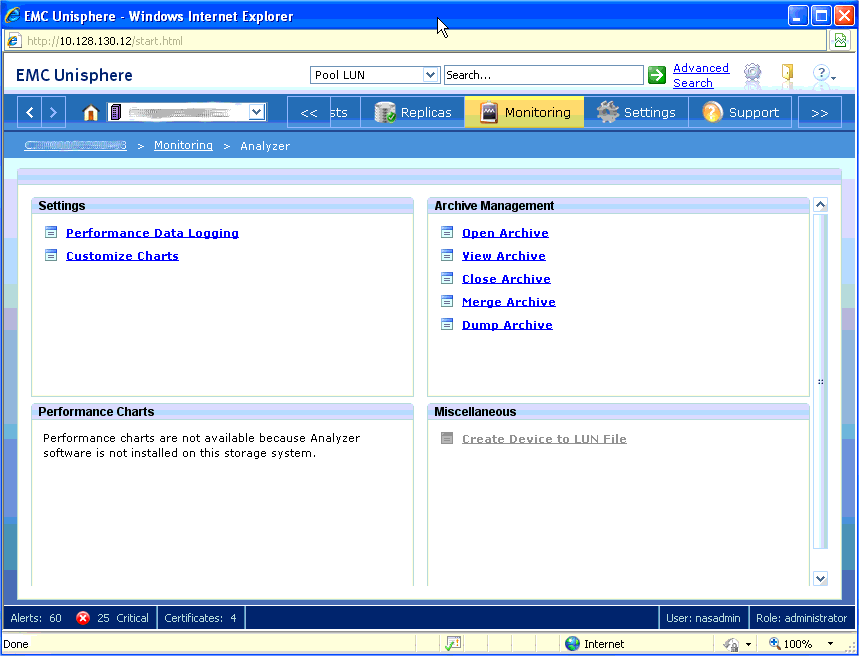
- Then select performance Data Logging
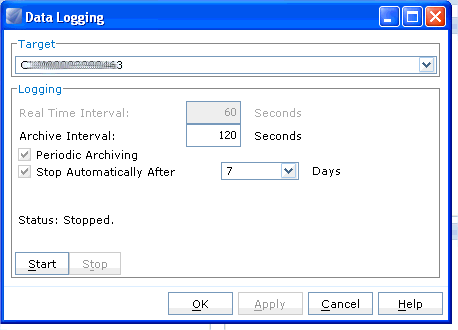
- Then select the time period you want the logging to take place for (normally 7 days) and then select Start.